PrettyUpphoto and body editing app
Photo Confidence vs. Awkward Poses Before an App Demo
A text-overlay posing skit contrasts wanting photos with awkward poses, then demonstrates a photo-editing app as the solution.
- Views
- 64.6K
- Likes
- 936
- Comments
- 14
- Length
- 13s
Observed : 64,633 views, 936 likes, 14 comments. Published . An Instagram view is a play of a video (Reels); images and carousels have no views.
First 3 seconds
- Visual
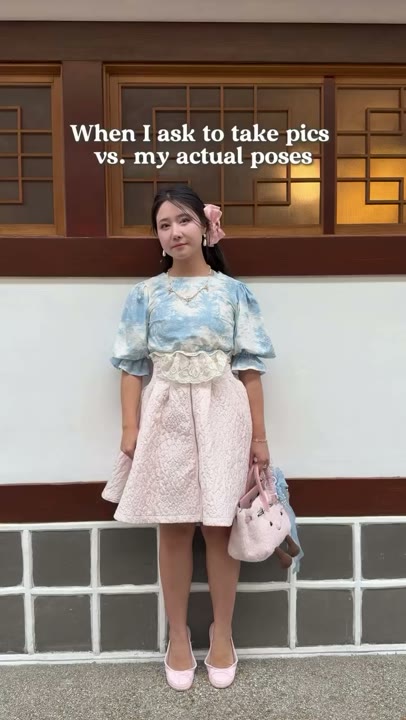
- The creator stands full-body against a wooden-window wall, raises a thumbs-up, then holds a pink bag in front of their body as a distressed emoji appears.
- On-screen text
- “When I ask to take pics vs. my actual poses”
- Spoken line
- None: no speech in the opening
- Sound
- Upbeat background music with vocal samples, according to the prior analysis; no creator speech detected.
Script beats
The expectation-versus-reality overlay introduces the photo-taking dilemma while the creator gives a simple thumbs-up.
Establish a recognizable mismatch between wanting attractive photos and knowing how to pose
The creator holds the bag centrally, then returns to a thumbs-up; distressed and wilted-rose graphics underline the awkwardness.
Make the problem visible and add gentle self-deprecating humor
PrettyUp's interface appears with '1. Upload your photo to PrettyUp' over the creator's photo.
Introduce the app as a practical answer to the opening problem
The interface shows pose presets and '2. Choose the pose you like,' with a bent-leg pose visible in the preview.
Explain the selection step and show a concrete alternative pose
Several posed versions of the creator's photo appear alongside reference figures and heart graphics.
Demonstrate the range of results and deliver the promised posing improvement
A final editing screen shows the creator turned sideways, a brightness control, PrettyUp branding, and an App Store listing inset.
Finish with a polished result and reinforce the app's identity
Why it works
- expectation versus reality. The overlay explicitly contrasts asking for photos with the limited poses the creator actually performs.
- self-recognition. A thumbs-up and stiff stance make the familiar experience of running out of photo poses immediately understandable.
- visual humor. The distressed emoji and wilted rose frame awkwardness as playful rather than embarrassing.
- problem-to-solution progression. The app demonstration answers the exact difficulty introduced by the opening, giving viewers a reason to continue.
How to adapt it
- Expectation-versus-reality situation. For a hair styler: 'When I plan my hairstyle vs. what I actually manage'; for a meal kit: 'The dinner I imagine vs. my usual dinner.'
- Visible awkward baseline. Show the same thumbs-up in every outfit photo, a collapsed hairstyle, or an uninspired plate before introducing the product.
- Product demonstration. Replace pose selection with choosing a photo preset, using one styling attachment, or following two meal-kit steps.
- Payoff examples. Show three edited poses, two finished hairstyles, or several plated meals using framing that makes the improvement easy to compare.
- Setting and styling. Film against a bedroom wall, outside a café, or in a kitchen; choose clothing and props relevant to the brand's audience.
- Keep intact.
- Put the expectation-versus-reality premise on screen immediately
- Show the awkward reality within the first three seconds
- Keep the baseline behavior recognizable and easy to read
- Make the product solve the specific problem established by the hook
Pattern template
When I [desired situation] vs. my actual [awkward behavior] → [comic baseline] → [product steps] → [improved results]
Keywords and tags
- Audience
- People who feel awkward posing for outfit and social-media photos
- Angles
- Relatability, Humor, Curiosity
- Call to action
- The caption asks viewers to get @prettyup.app and try its features.
- Sound
- Music only
Video and caption by @halinataa; original post on Instagram. Breakdown by UGC Growth Engineer, added .