Sparkivideo-editing web appCapCutvideo-editing appPopUp Bagelsbagels
Rejecting a Familiar Editing Tool Before Revealing an Alternative
A text-overlay skit pairs a familiar editing habit with disgust emojis, then reveals a video-editing app and demonstrates its workflow.
- Views
- 43.4K
- Likes
- 558
- Comments
- 73
- Length
- 16s
Observed : 43,353 views, 558 likes, 73 comments. Published . An Instagram view is a play of a video (Reels); images and carousels have no views.
First 3 seconds
- Visual
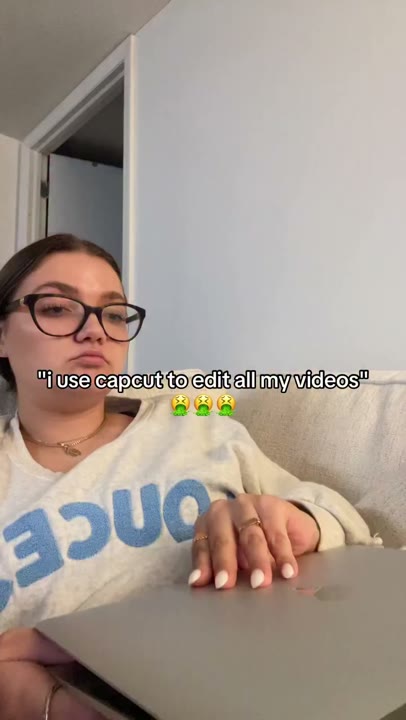
- The creator sits on a couch, opens a laptop and starts typing with a mostly deadpan expression beneath a quote about using CapCut.
- On-screen text
- “"i use capcut to edit all my videos" 🤮🤮🤮”
- Spoken line
- None: no speech in the opening
- Sound
- The automatic transcript suggests a rap music excerpt rather than creator speech; the prior analysis describes a different reaction sound, so exact audio is uncertain.
Script beats
The creator opens a laptop and types under a quoted CapCut habit paired with vomiting emojis.
Make an ordinary editing choice feel questionable and invite curiosity about the alternative
The creator's expression becomes dismissive, with a raised hand visible around 3.96 seconds.
Turn the text's negative judgment into a physical reaction
Cut to the laptop browser showing Sparki.io and the instruction 'Go to Sparki.io'.
Resolve the initial curiosity by naming the alternative
Show a prompt requesting an Instagram business promo for a bagel shop.
Give the viewer a concrete first step
Show a file picker with raw video files and an upload instruction.
Make the workflow appear simple and reproducible
Show bagel footage beneath a promise of a fully edited video in minutes.
Present a sample result and emphasize speed
Continue the bagel footage and ask viewers to comment 'Sparki' for the link.
Convert interest into a specific comment action
Why it works
- Expectation mismatch. The neutral claim about using CapCut clashes with vomiting emojis, making viewers wonder why a familiar workflow is being rejected.
- Unresolved alternative. Rejecting one named tool creates a reason to stay for the replacement, which appears around five seconds.
- Concrete payoff. The browser, prompt, upload step and sample footage give the opening opinion a practical destination.
How to adapt it
- Familiar habit. Use a quote such as 'i track every expense manually' for a budgeting app or 'i resize every post one by one' for a design tool.
- Alternative reveal. Cut from the reaction to an expense-import screen, a batch-resize feature or a scheduling dashboard.
- Proof of usefulness. Show a categorized expense list, three finished social formats or a populated content calendar.
- Response keyword. Ask viewers to comment 'budget', 'resize' or the featured product name for a relevant link.
- Keep intact.
- Put the familiar habit and its negative visual judgment on screen immediately
- Keep the opening quote short enough to read while the creator performs a simple action
- Reveal the alternative quickly after the reaction
- Follow the reveal with visible steps and a concrete result
Pattern template
"i use [familiar tool or habit] to [task]" + [disapproval cue] → [alternative reveal] → [simple workflow] → [result] → comment "[keyword]".
Keywords and tags
- Audience
- Creators and small businesses looking for a faster way to edit promotional videos
- Angles
- Curiosity, Humor, Surprise
- Call to action
- Comment “Sparki” for the link 🔗✨
- Sound
- Music only
Video and caption by @michelleeditorr; original post on Instagram. Breakdown by UGC Growth Engineer, added .