ayaphotophoto app with BF Camera reference overlay
A Hidden Photo Tool Teased Through a Shocked Selfie
A shocked selfie teases a hidden photo trick, then a camera-app overlay demonstration and matching final pose resolve the curiosity gap.
- Views
- 94.3K
- Likes
- 1K
- Comments
- 29
- Length
- 8s
Observed : 94,317 views, 1,046 likes, 29 comments. Published . An Instagram view is a play of a video (Reels); images and carousels have no views.
First 3 seconds
- Visual
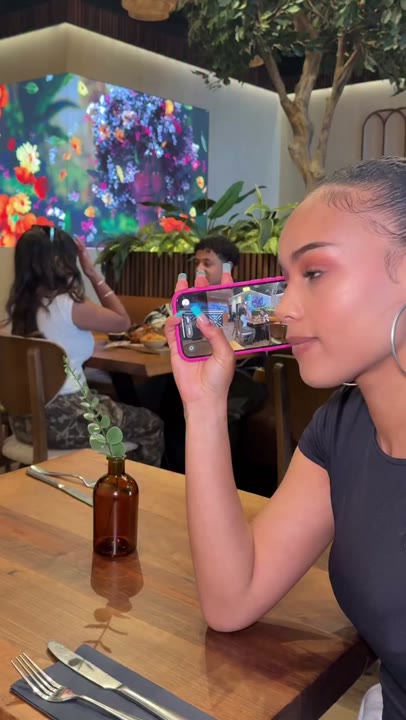
- The creator holds a hand over their mouth with wide eyes in a close-up selfie, followed by a cut to a camera interface showing a translucent reference-photo overlay.
- On-screen text
- “I can’t believe Pinterest was hiding this from us”
- Spoken line
- None: no speech in the opening
- Sound
- Electronic pop music with sung female vocals; the prior analysis reports no creator speech.
Script beats
The creator holds a surprised expression beneath the claim that Pinterest was hiding something.
Create an unanswered question about the discovery and reinforce it with a visible reaction
Cut to the app and its BF Camera interface; the prior analysis reports a brief feature-selection step.
Begin resolving the mystery with a concrete tool reveal
A translucent reference portrait overlays the live camera view, with reference thumbnails and an Overlay slider visible.
Show how the tool can guide pose and framing
The creator appears without the interface, smiling with their cheek resting on one hand in a pose resembling the reference.
Deliver a clear visual payoff for the demonstrated feature
Why it works
- Unresolved discovery. The word “this” withholds the useful feature, giving viewers a reason to stay for the reveal.
- Expressive reaction. Wide eyes and a covered mouth communicate surprise immediately, even with the sound off.
- Familiar platform. Mentioning Pinterest connects the mystery to a recognizable source of photo inspiration.
- Visible proof. The camera overlay and matching final pose turn the opening tease into an understandable use case.
How to adapt it
- Discovery subject. Tease a photo app’s pose guide, an editing app’s background tool, or a shopping app’s saved-item feature.
- Opening text. Use “I just found this in [app]” or “How did I miss this [product] feature?” with a feature you can visibly demonstrate.
- Proof sequence. Show the pose overlay aligning, a background being removed, or a saved-item alert appearing, then reveal the finished result.
- Reaction and setting. Film a wide-eyed pause at a desk, a hand-over-mouth selfie in a bedroom, or an excited glance at the phone.
- Keep intact.
- An immediately readable tease that leaves one specific discovery unresolved
- A facial reaction that supports the text
- A quick transition from the tease to visible evidence
- A final result that clearly connects to the demonstrated feature
Pattern template
[Surprised selfie] + “How did I miss this [app/product] feature?” → [feature demonstration] → [matching finished result]
Keywords and tags
- Audience
- People who want help recreating aesthetic photo poses and framing
- Angles
- Curiosity, Surprise, Fomo
- Sound
- Music only
Video and caption by @skyee.photo; original post on Instagram. Breakdown by UGC Growth Engineer, added .