No product featured
A Creator Question Answered With Gesture-Timed Video Picks
A casual selfie Reel hooks aspiring creators with a content-improvement question, then answers it through gesture-timed video recommendations and a save prompt.
- Views
- 163K
- Likes
- 1.5K
- Comments
- 8
- Length
- 9s
Observed : 163,183 views, 1,531 likes, 8 comments. Published . An Instagram view is a play of a video (Reels); images and carousels have no views.
First 3 seconds
- Visual
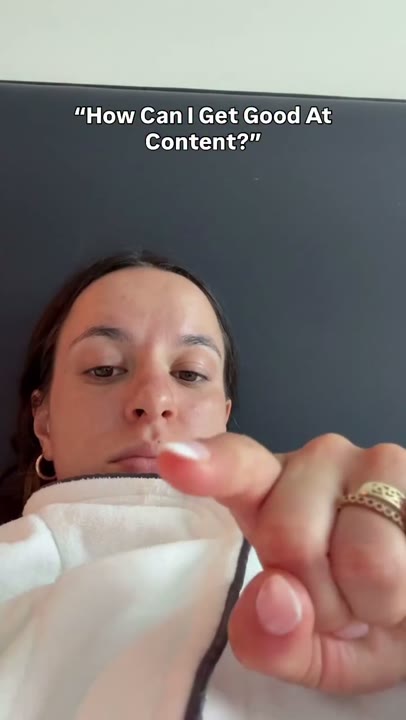
- The creator reclines in a white robe, looks into the camera, and raises a hand toward the space above their head; a recommended video thumbnail appears by approximately 2.3 seconds.
- On-screen text
- “How Can I Get Good At Content?”
- Spoken line
- None: no speech in the opening
- Sound
- Background music with likely sung or rapped vocals; no verified creator speech. The prior analysis describes upbeat instrumental music.
Script beats
A reclined selfie displays the content-improvement question while the creator raises and gestures with their hand.
Make aspiring creators recognize their own question and anticipate an answer
A thumbnail for a personal-brand course appears above the creator's head beside their pointing hand.
Resolve the initial question with a concrete learning resource
The overlay changes to a video about probability in content creation.
Expand the answer and sustain attention through a changing visual
A video about growing on social media replaces the previous recommendation.
Add another relevant resource to the compact recommendation list
A storytelling video appears above the creator.
Complete the sequence with another content-making skill
The recommendations give way to “Save & Watch Later” as the creator makes an OK gesture.
Turn the resource list into a reason to save the Reel
Why it works
- self-recognition. The opening question names a practical concern aspiring creators already have.
- unresolved question. The question appears before the resources, giving viewers a reason to wait for the answer.
- gesture-directed attention. The creator's hand directs the eye toward the recommendation overlay and makes its appearance feel intentional.
- save-worthy utility. Several longer learning resources are packaged into a short list that viewers can return to later.
How to adapt it
- opening question. For a kitchen tool: “How Can I Make Meal Prep Easier?” For a camera accessory: “How Can I Film Better Alone?”
- answer overlays. Replace video thumbnails with three meal-prep steps using a food container, or three filming setups using a phone tripod.
- gesture. Point, snap, or tap upward as each product tip or demonstration appears.
- closing save prompt. Use “Save For Your Next Meal Prep” or “Save For Your Next Shoot” when the sequence contains useful steps.
- Keep intact.
- Show a clear audience-relevant question immediately
- Reveal the first concrete answer within roughly three seconds
- Time the hand gesture to the answer overlay
- Keep overlays readable and directly relevant to the question
Pattern template
“How Can I [desired improvement]?” → [gesture] → [three or four useful answers featuring product] → “Save For [next relevant occasion]”
Keywords and tags
- Audience
- Aspiring creators seeking to improve content creation, personal branding, social media growth, and storytelling
- Angles
- Curiosity, Relatability, Aspiration
- Call to action
- Save & Watch Later
- Sound
- Music only
Video and caption by @lanafogarty; original post on Instagram. Breakdown by UGC Growth Engineer, added .