VibloAI faceless video creation softwareTikTokshort-video platform
- Open loop
- Tutorial
- Apps and software
- Possibly AI footage
Disbelief Question Followed by a Faceless Video Tool Demo
A shocked selfie asks “How is this legal?” before cutting to a faceless video software tutorial, turning curiosity about a shortcut into a product reveal.
- Views
- 246K
- Likes
- 4.9K
- Comments
- 700
- Length
- 12s
Observed : 245,755 views, 4,913 likes, 700 comments. Published . An Instagram view is a play of a video (Reels); images and carousels have no views.
First 3 seconds
- Visual
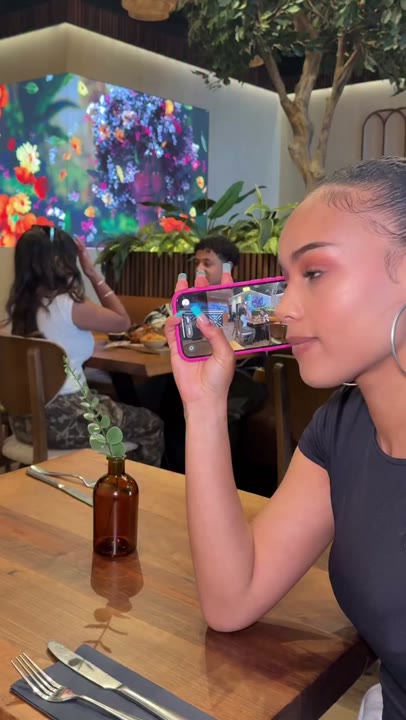
- The creator looks into the camera in a tight selfie close-up with furrowed brows and an open mouth, then cuts around 1.8 seconds to a finger pointing at Viblo's laptop homepage.
- On-screen text
- “How is this legal 😭 / Go to “Viblo.ai””
- Spoken line
- “How is this legal? Go to this website,”
- Sound
- The creator asks an emphatic question, then shifts into instructional speech; background music is not established by the supplied evidence.
Script beats
Close-up disbelief reaction with “How is this legal 😭” in text and speech.
Create an unresolved question about an unusually powerful shortcut
Cut to Viblo's homepage, point at its faceless-content promise, and direct viewers to start for free.
Reveal the tool quickly and turn curiosity into a concrete next step
Show Video Ranking in the menu, followed by a TikTok cat clip.
Introduce the feature and the source material for the workflow
Tell viewers to copy the clip link and paste it into the tool's input field.
Make the process appear easy to replicate
Show a ranked cat-video preview while describing titles and captions; overlay asks viewers to comment “viral” for the tool.
Show the output and invite comments
Point at an analytics dashboard showing estimated revenue, paired with “easy money 🤑”.
Close with an earnings appeal, without establishing that the tool produced those earnings
Why it works
- Unresolved question. “How is this legal?” withholds what triggered the disbelief, giving viewers a reason to stay for the reveal.
- Expressive reaction. The tight framing and visibly incredulous expression make the emotional premise readable immediately.
- Fast product reveal. The cut to a named website within two seconds provides a concrete answer before the opening question loses momentum.
- Perceived ease. Pointing at menu items and input fields compresses the workflow into simple actions, supporting the shortcut premise.
How to adapt it
- Disbelief premise. For a cleaning product, ask “How did that come off so fast?”; for an editing app, ask “That took one tap?”
- Product reveal. Cut from the selfie to a stain remover in use, a photo editor's result, or a kitchen tool completing one task.
- Proof sequence. Show three observable steps: apply, wipe, reveal; upload, select, export; load, press, serve.
- Final payoff. Replace the earnings dashboard with a timed edit, a cleaned surface, or a finished meal that directly demonstrates the product's result.
- Comment prompt. Use “comment ‘recipe’ for the steps” or “comment ‘template’ for the setup” when those resources are available.
- Keep intact.
- Open with a readable emotional reaction and a short unresolved question
- Reveal the product or process within roughly two seconds
- Follow the reveal with visible, easy-to-follow actions
- End with a concrete result that answers the opening curiosity
Pattern template
[Disbelieving selfie]: “[How is this result possible?]” → cut to [product] → show [three simple steps] → reveal [demonstrable result] → [relevant CTA].
Keywords and tags
- Audience
- Creators interested in making faceless ranking videos and earning money from content
- Angles
- Curiosity, Surprise, Aspiration
- Call to action
- comment “viral” and i’ll send you the tool
- Sound
- Unknown
Video and caption by @chatwithlilly; original post on Instagram. Breakdown by UGC Growth Engineer, added .