Canvadesign softwareBeaconsdigital-product storefront and earnings dashboard
A Canva-to-Rent Promise With a One-Minute Tutorial
A creator-led software tutorial hooks viewers with a text promise to use Canva to pay rent, then shows a digital-product workflow and an earnings dashboard.
- Views
- 856K
- Likes
- 28.2K
- Comments
- 8K
- Length
- 60s
Observed : 855,779 views, 28,150 likes, 7,991 comments. Published . An Instagram view is a play of a video (Reels); images and carousels have no views.
First 3 seconds
- Visual
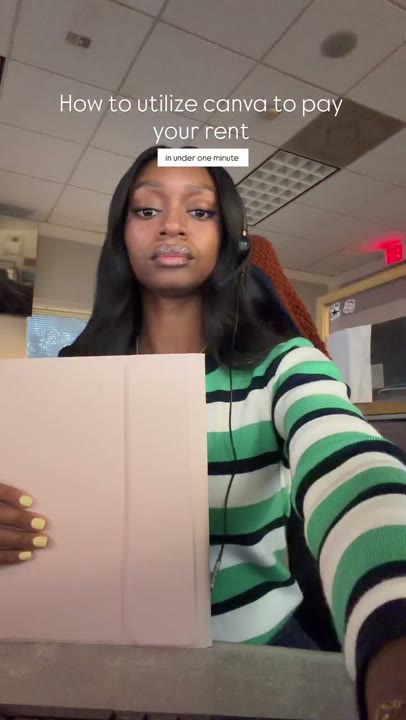
- The creator sits at a desk wearing a headset, looks toward the camera, and opens a pink tablet cover beneath the headline.
- On-screen text
- “How to utilize canva to pay your rent / in under one minute”
- Spoken line
- None: no speech in the opening
- Sound
- Upbeat background music with no opening speech, according to the prior audio analysis.
Script beats
The rent-payment promise and one-minute qualifier appear as the creator opens a tablet cover.
Connect an accessible design tool to a high-value financial outcome and make the explanation feel quick
The creator looks down at the tablet and holds a stylus.
Move from the headline into a visible working setup
The video switches to a filmed computer screen; the 15.1-second frame shows an ebook search in Canva.
Introduce the digital-product format behind the promise
An ebook cover is edited in Canva, followed by a finger pointing toward Share.
Show concrete creation and sharing steps that viewers can follow
The workflow moves to Beacons; the 45.31-second frame shows a New Product button and digital-download listings.
Connect the design process to a storefront for selling downloads
The creator points toward a Beacons dashboard displaying Total Earnings of $1,405.04.
Provide a visible earnings result as the payoff, without establishing that Canva alone caused those earnings
Why it works
- high-value outcome. Paying rent is a concrete, consequential goal that gives an ordinary design tutorial immediate relevance.
- unexpected connection. Linking Canva with rent creates curiosity about how design work becomes income.
- low time commitment. The one-minute qualifier makes staying for the explanation feel inexpensive.
- visible process and payoff. The screen walkthrough supplies practical steps, while the earnings dashboard gives the promise a tangible endpoint.
How to adapt it
- featured tool. Use a budgeting app to organize bills, a meal-planning app to plan weekly dinners, or a design app to create downloadable planners.
- desired outcome. Replace paying rent with making a first digital download, preparing a week of lunches, or finding unused subscriptions.
- time qualifier. Use 'in under one minute' for the walkthrough or 'in three steps' for a process with a longer real-world completion time.
- demonstrated payoff. End with the finished planner, a completed meal plan, or an app's spending summary; use an earnings figure only when it is authentic and contextualized.
- opening setup. Open a laptop, unlock a phone, or pick up a stylus beneath the headline before cutting to the relevant interface.
- Keep intact.
- Put the tool and concrete outcome in readable text immediately
- Keep the short walkthrough promise visible during the opening
- Follow the promise with specific interface actions
- Finish with a result relevant to the headline and supported by the evidence
Pattern template
How to utilize [tool] to [valuable outcome] / in [short walkthrough time] → [creation steps] → [delivery or selling step] → [visible result]
Keywords and tags
- Audience
- Creators seeking to make and sell digital products for side income
- Angles
- Curiosity, Aspiration
- Sound
- Music only
Video and caption by @jahsocials; original post on Instagram. Breakdown by UGC Growth Engineer, added .