Instagramsocial media appCloverecipe app
Surprised Reaction Teases a Reel-to-Recipe Workflow
A surprised selfie reaction and Instagram-update overlay create curiosity before a phone demo reveals a workflow that turns a cooking Reel into a structured recipe.
- Views
- 867K
- Likes
- 19.1K
- Comments
- 33
- Length
- 15s
Observed : 867,484 views, 19,141 likes, 33 comments. Published . An Instagram view is a play of a video (Reels); images and carousels have no views.
First 3 seconds
- Visual
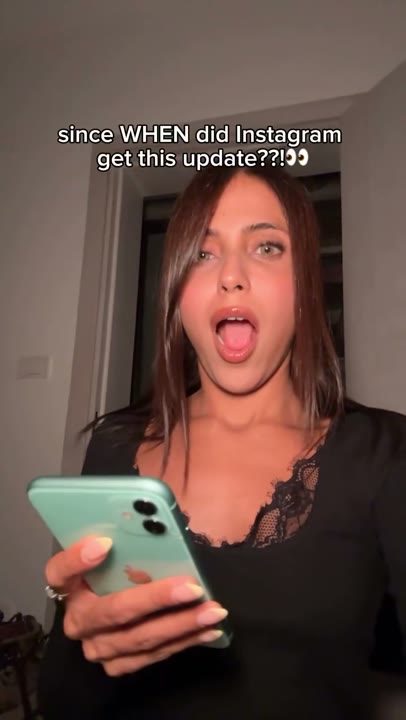
- The creator holds a mint-green phone, looks down with an open mouth, then looks into the camera with widened eyes and an excited smile.
- On-screen text
- “since WHEN did Instagram get this update??!👀”
- Spoken line
- None: no speech in the opening
- Sound
- The prior analysis reports upbeat music during the opening; the transcript contains a short spoken reaction but does not reliably establish its placement within the first three seconds.
Script beats
The creator reacts to the phone, then makes excited eye contact beneath the Instagram-update question.
Stop the scroll with expressive surprise and leave the feature unexplained
The view switches to a phone displaying a Halloween-themed cookie Reel on Instagram.
Show the source content and begin resolving the feature tease
The creator opens the Reel's sharing options and selects an app shortcut.
Demonstrate the action connecting the Reel to the recipe workflow
A recipe page titled 'Spooky S’mores Cookies' appears with grocery, collection, and nutrition sections.
Reveal the practical payoff: a structured recipe from the Reel
The creator scrolls through ingredients and cooking instructions; 'Ask Clove...' appears near the bottom.
Show that the result includes usable ingredients and step-by-step directions
Why it works
- expressive surprise. The open mouth and widened eyes communicate a discovery before viewers need to read or understand the feature.
- unresolved question. The overlay names a familiar platform but withholds the update, giving viewers a specific reason to continue.
- visible proof. The transition from reaction to a real phone workflow supplies evidence and a concrete payoff.
How to adapt it
- discovery text. Use 'since WHEN could this app sort my receipts??!👀' for an expense app or 'since WHEN could I save the whole recipe??!👀' for a recipe tool; describe an actual capability.
- demonstrated workflow. Show a recipe becoming a grocery list, a photo becoming an editable scan, or a saved outfit becoming a shopping collection.
- payoff screen. Finish on a completed shopping list, extracted document, or organized collection so the benefit is visible.
- Keep intact.
- Make the surprised reaction readable immediately
- Name the app or capability in a short, legible overlay while withholding the explanation
- Move quickly from the creator's face to the demonstration
- End with a visible result that answers the opening tease
Pattern template
since WHEN could [app/product] [unexpected capability]??!👀 → surprised reaction → [short workflow demo] → [useful result]
Keywords and tags
- Audience
- Home cooks who save Instagram recipes and want usable ingredients and instructions.
- Angles
- Surprise, Curiosity, Fomo
- Sound
- Voice and music
Video and caption by @snackswithmel; original post on Instagram. Breakdown by UGC Growth Engineer, added .