Canvagraphic design softwareUnbrandedAI ad creative generation toolBloomnutrition supplements
A Disgusted Reaction to Canva Sets Up an Ad Tool Reveal
A text-overlay reaction skit rejects designing ads in Canva, then reveals a website-to-ad workflow through a laptop demonstration of an AI creative tool.
- Views
- 557K
- Likes
- 16K
- Comments
- 3.5K
- Length
- 12s
Observed : 557,335 views, 16,010 likes, 3,548 comments. Published . An Instagram view is a play of a video (Reels); images and carousels have no views.
First 3 seconds
- Visual
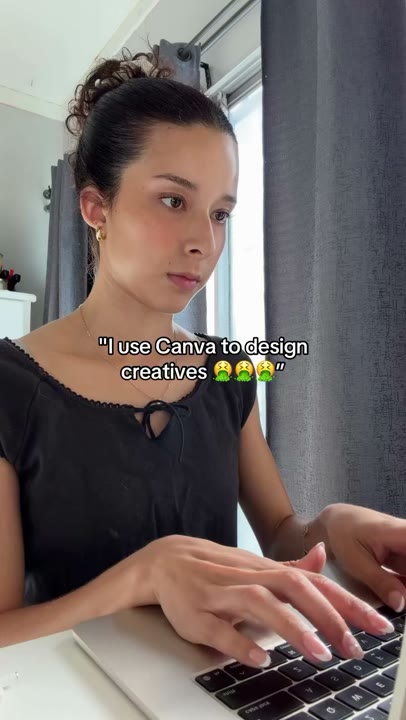
- The creator types on a laptop beside a window, then looks toward the camera with widened eyes and a displeased expression.
- On-screen text
- “I use Canva to design creatives 🤮🤮🤮”
- Spoken line
- None: no speech in the opening
- Sound
- A female hip-hop vocal track plays; the prior analysis reports no creator dialogue, and the automatic transcript appears to capture lyrics.
Script beats
The creator types beneath a quoted Canva statement and shifts into a disgusted look toward the camera.
Turn a familiar design workflow into an objection and prompt curiosity about the alternative
Cut to the Bloom website on a laptop; a pen points toward the address bar under 'go to your website'.
Introduce the starting point for the replacement workflow
The website address is selected with the instruction 'copy the url', followed by an ad-generation interface.
Make the first step appear simple and reproducible
The copied address is entered into the tool under 'take it here'.
Connect the website input to the alternative software
A grid of Bloom ad designs appears beneath 'watch it build 100s of ad creatives in minutes'.
Provide visible output supporting the promised reduction in manual design work
Individual generated Bloom creatives are displayed with 'comment “vibe” to try it'.
Show the finished result and convert interest into comments
Why it works
- expressive reaction. The shift from focused typing to a displeased camera look gives the quoted statement an immediate emotional judgment.
- familiar workflow. Naming Canva makes the setup quickly recognizable to creators and marketers who design ad assets.
- unresolved alternative. Rejecting a familiar tool leaves viewers wondering which workflow the creator recommends instead.
- visible payoff. The subsequent URL steps and finished ad designs give the opening reaction a concrete resolution.
How to adapt it
- The familiar task being rejected. For a meal-planning app: 'I plan every dinner from scratch'; for a cleaning product: 'I scrub this stain for ten minutes'; for an editing app: 'I subtitle every clip manually'.
- The opening work visual. Show typing a grocery list, scrubbing a pan, or repeatedly editing captions before looking toward the camera.
- The replacement demonstration. Show the app generating a weekly menu, the cleaner lifting the stain, or the editing tool producing captions.
- The closing action. Invite viewers to comment a relevant keyword for a trial link or save the demonstrated steps.
- Keep intact.
- Put the familiar workflow statement on screen immediately
- Make the creator's displeased reaction clear within the opening three seconds
- Cut promptly from the reaction to the replacement workflow
- Show a concrete result that resolves why the original task was rejected
Pattern template
"I [do familiar task the slow way] 🤮🤮🤮" → [displeased camera look] → [demonstrate product shortcut] → [show result] → [CTA]
Keywords and tags
- Audience
- UGC creators, social media marketers, and business owners who make ad creatives
- Angles
- Curiosity, Humor, Relatability
- Call to action
- comment “vibe” to try it
- Sound
- Music only
Video and caption by @ashleyloves.ai; original post on Instagram. Breakdown by UGC Growth Engineer, added .